Free
Try MapShotPro at no cost.
$0/month
No card required.
Get Started Free- Photo exports — 20/month
- PDF reports — watermarked
- Not included: CAD/Shapefile overlays
- Not included: Project save & load
- Not included: Custom firm branding


Browser-based. No install required.
Map GPS-tagged site photos onto aerial imagery and export client-ready PDF reports.
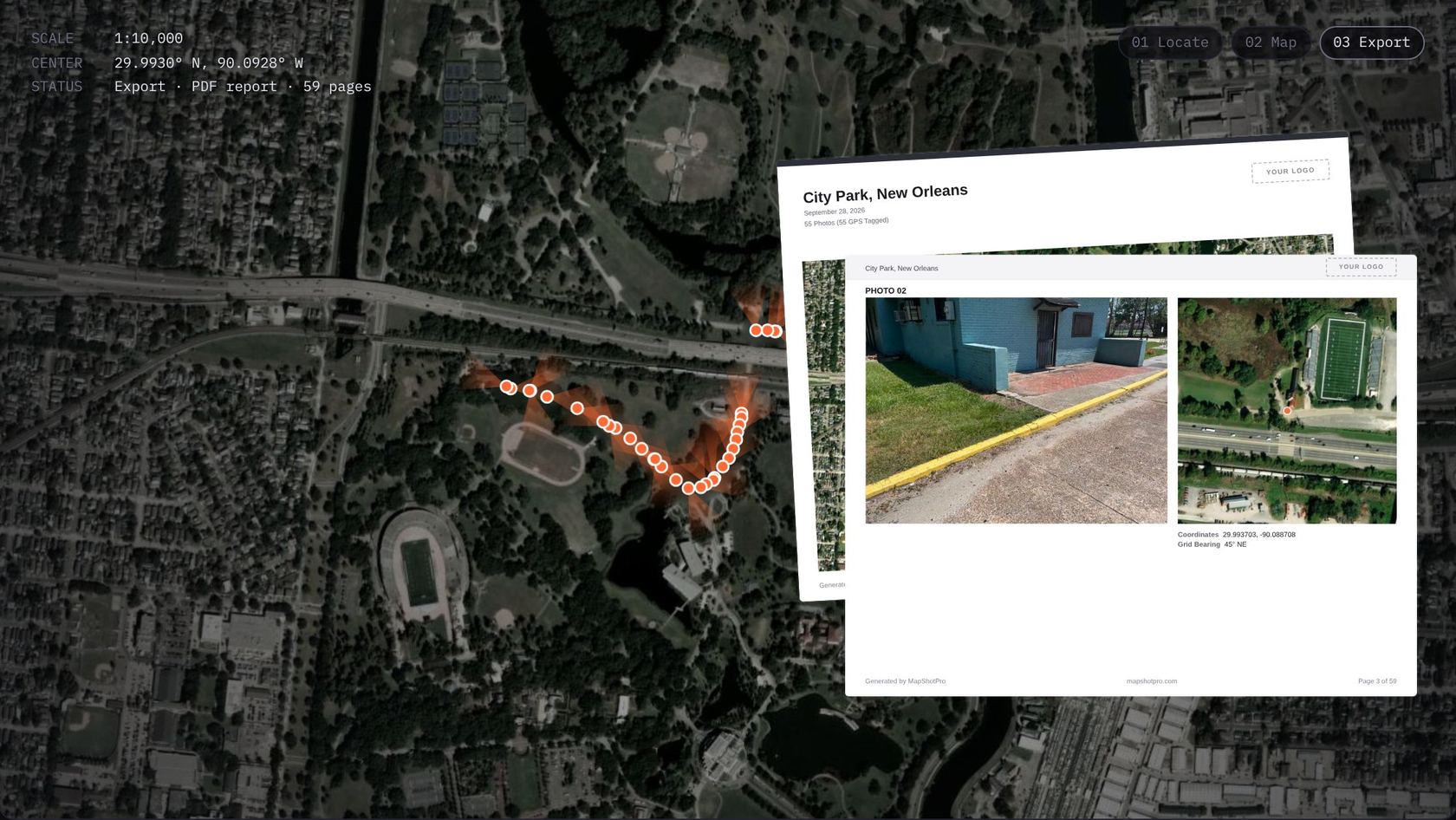
How It Works
Three steps from raw site photos to map-backed evidence your client can sign off on.
Drop JPG, PNG, and HEIC files directly into the workspace.
JPG · PNG · HEIC
Photos align automatically across seven basemap layers using embedded GPS metadata.
EXIF GPS · 7 basemaps
Generate professional, map-backed evidence documents in eight professional color themes.
PDF · 8 themes
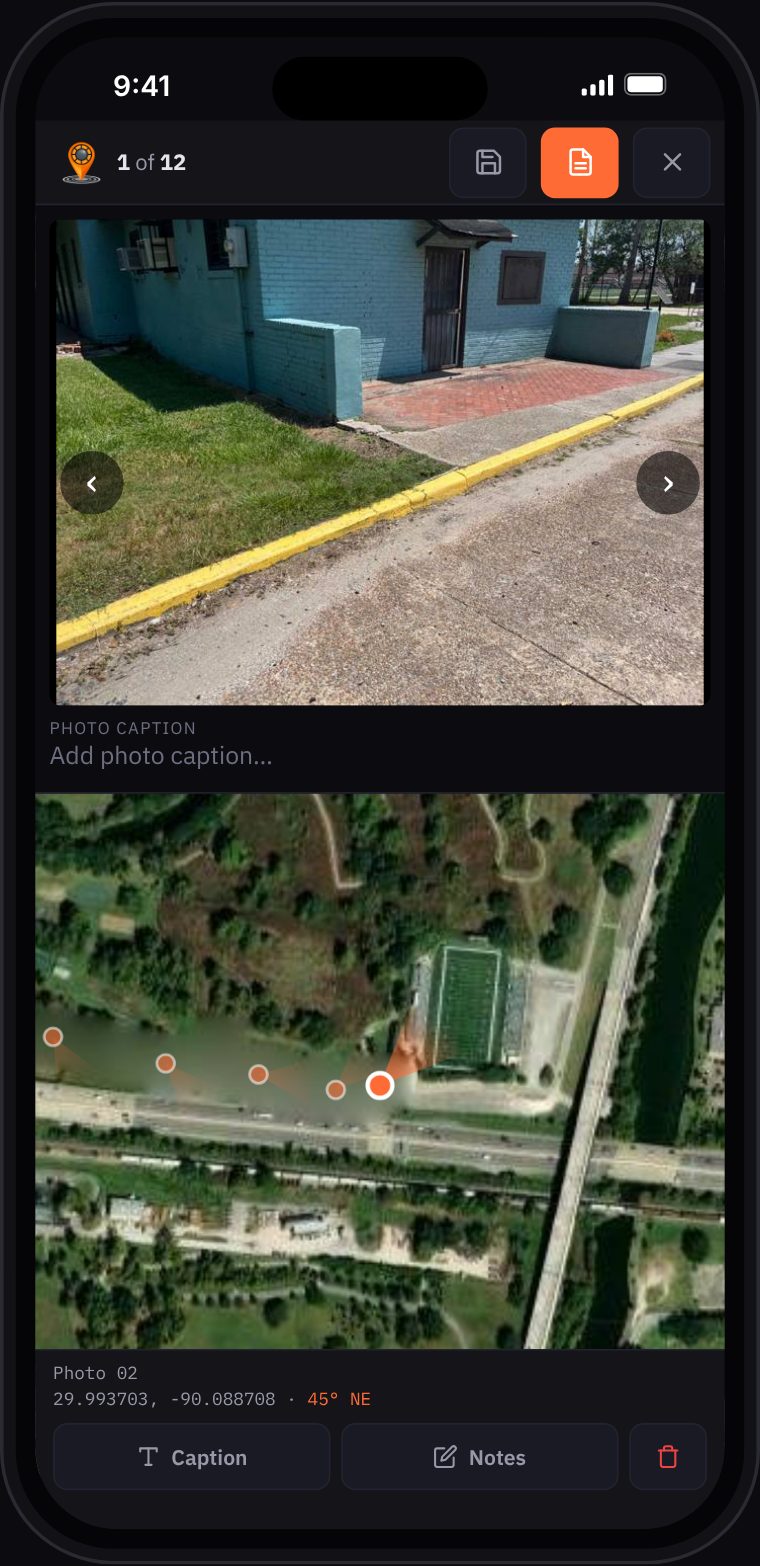
On Your Phone
MapShotPro runs in your phone's browser. Add photos from your library, review each one on the map, and export the PDF before you leave.
Audiences
Document site conditions with geolocated photos. Deliver map-backed reports to clients and stakeholders.
Site conditions backed by map evidence.
Every photo shows where you stood.
GPS and bearing plotted from EXIF.
Progress reports to clients in minutes.
Field photos in aerial context.
Pricing
Every account starts with a full Pro trial. Nothing auto-charges.
Try MapShotPro at no cost.
$0/month
No card required.
Get Started FreeMost Popular
Full access. Cancel anytime.
$25/month
7-day free trial included.
Start 7-Day Free TrialEverything in Pro, billed yearly.
$250/year
Save $50 — two months free.
Start 7-Day Free Trial