Jun 5, 2026
How I Used a Georeferenced Photo Report Tool to Streamline a Plan-In-Hand Site Visit
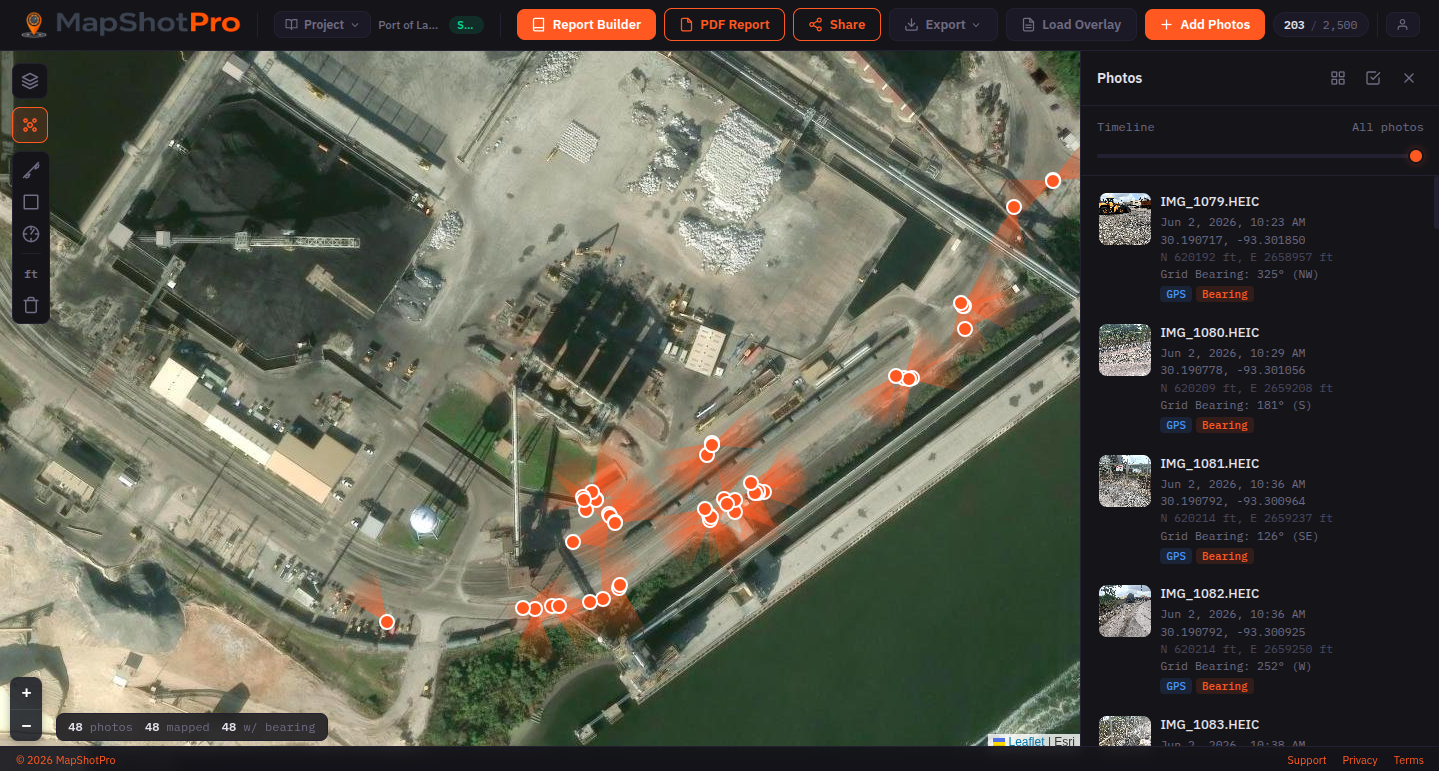
Last week I wrapped up a plan-in-hand site visit for a drainage improvement project at an active industrial port facility, and I wanted to share a workflow that's been streamlining how I approach field work.
The Problem with Traditional Site Photo Documentation
If you've ever done a plan-in-hand meeting, you know the challenge: you're walking potentially miles of road corridor, photographing dozens of conditions, scribbling notes on a marked-up plan set, and then spending hours back at the office trying to remember which photo went where and what you actually decided at each location. The photos end up in a folder named something like "Site Photos" and half the context is lost.
What I Did Differently This Time
I used a tool called MapShotPro to capture georeferenced site photos on my iPhone as I walked the project. Every photo was automatically tagged with GPS coordinates, State Plane grid coordinates, camera bearing, and timestamp. After returning to the office, I added field notes to each photo while the observations were still fresh (the tool also supports adding notes in the field as well if that fits your workflow better).
The output was a polished PDF report with around 50 photos, each paired with its own zoomed aerial location map showing exactly where I was standing and which direction I was facing. The overview page showed all photo clusters on a single site map so anyone reading the report could immediately orient themselves.
How It Informed Real Design Decisions During the Visit
Because I was reviewing and annotating photos while everything was still fresh rather than weeks later, the report became a living decision log from the field:
- At one location I noted that grading over an existing duct bank wouldn't be feasible — a design constraint that would have been easy to forget or mis-locate later.
- At the drain outfall locations, I captured that the pipe needs extension, a headwall added, and fill placed — with the exact GPS location tied to that note.
- At a dense electrical infrastructure cluster, we discussed rerouting the drainage swale behind the equipment rather than adjacent to the road — that conversation is now documented with a photo and coordinates.
- I flagged water utility conflicts in a railroad ditch that will affect the force main crossing design.
- I noted a potential pump station relocation site and a possible boring receiving pit location — both decisions that came out of standing at those spots looking at the constraints in person.
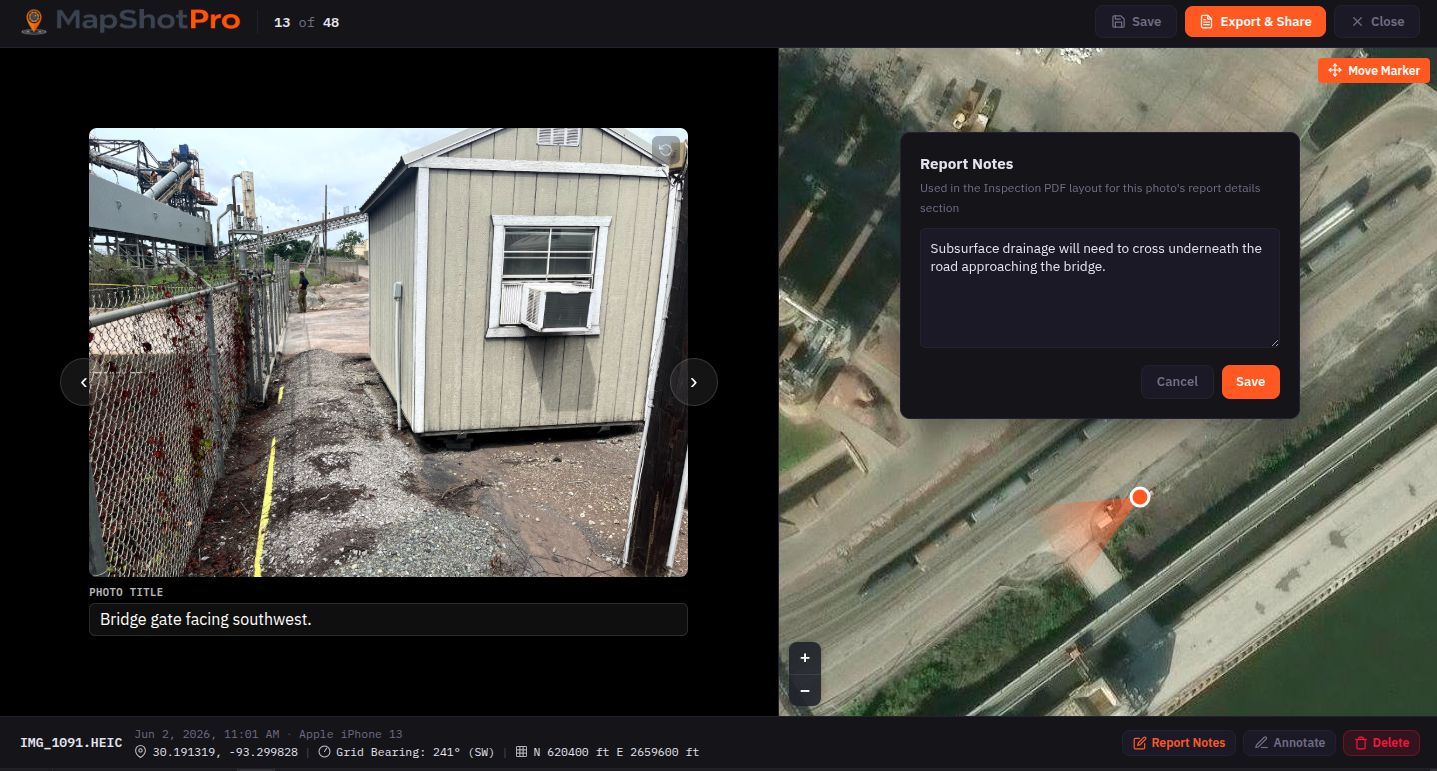
Notes attach directly to the photo and its location — like this constraint at the bridge approach, captured before it could get lost in a marked-up plan set.
Without the bearing metadata, it would have been much more difficult to tell from photos alone whether I was looking toward the water or away from it. The bearing data field turns out to be more useful than I expected.
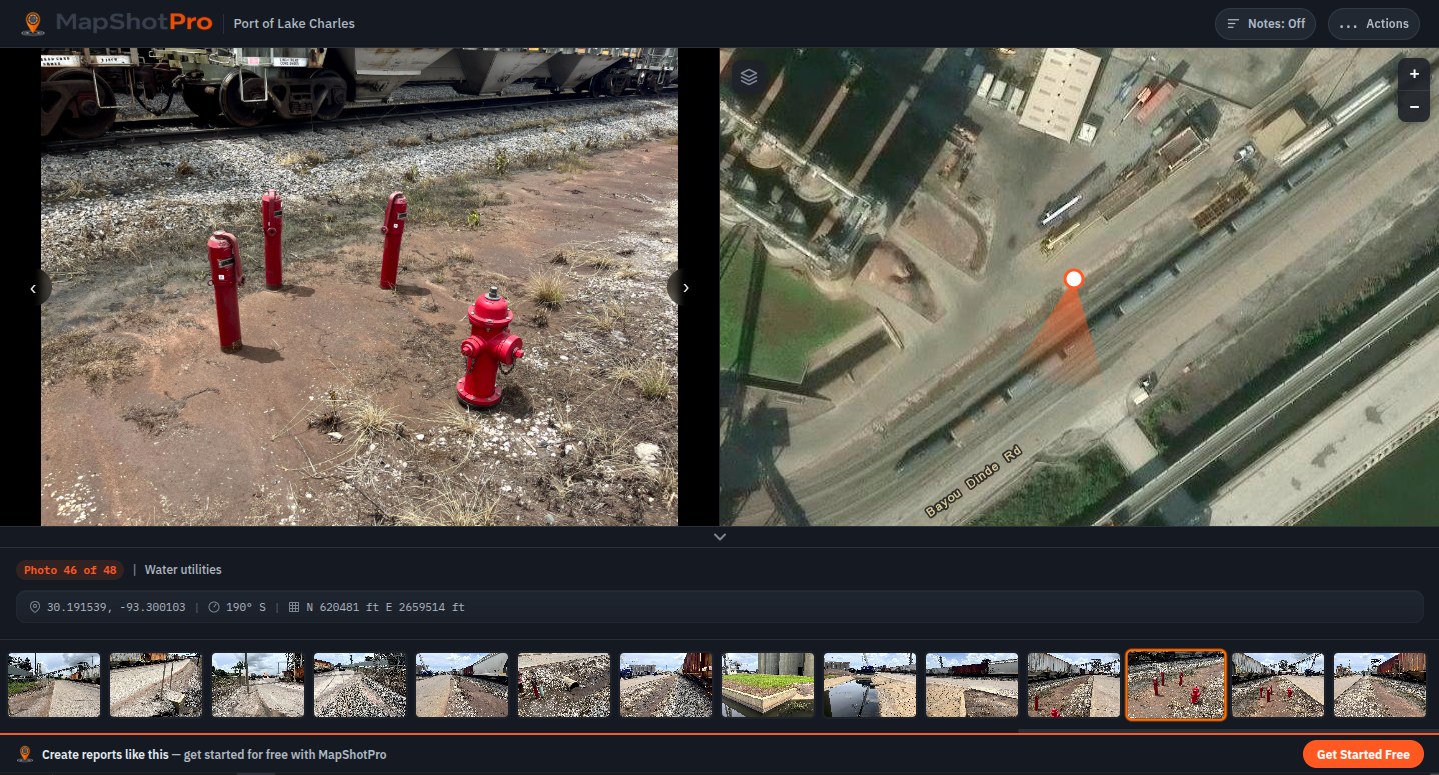
Water-utility conflicts photographed and pinned in place — the kind of detail that's easy to lose track of on a corridor with this much in the ground.
Field Notes: In the Office or On the Go
One thing worth mentioning is that this workflow is flexible. I annotated back at the office because it was a hot day and I could tag the photos later — but MapShotPro supports adding notes directly in the field if you'd rather capture observations the moment you're standing there. Either way the photos are already georeferenced and bearing-stamped from the moment you take them, so the spatial data is locked in regardless of when you add the narrative.
The Output
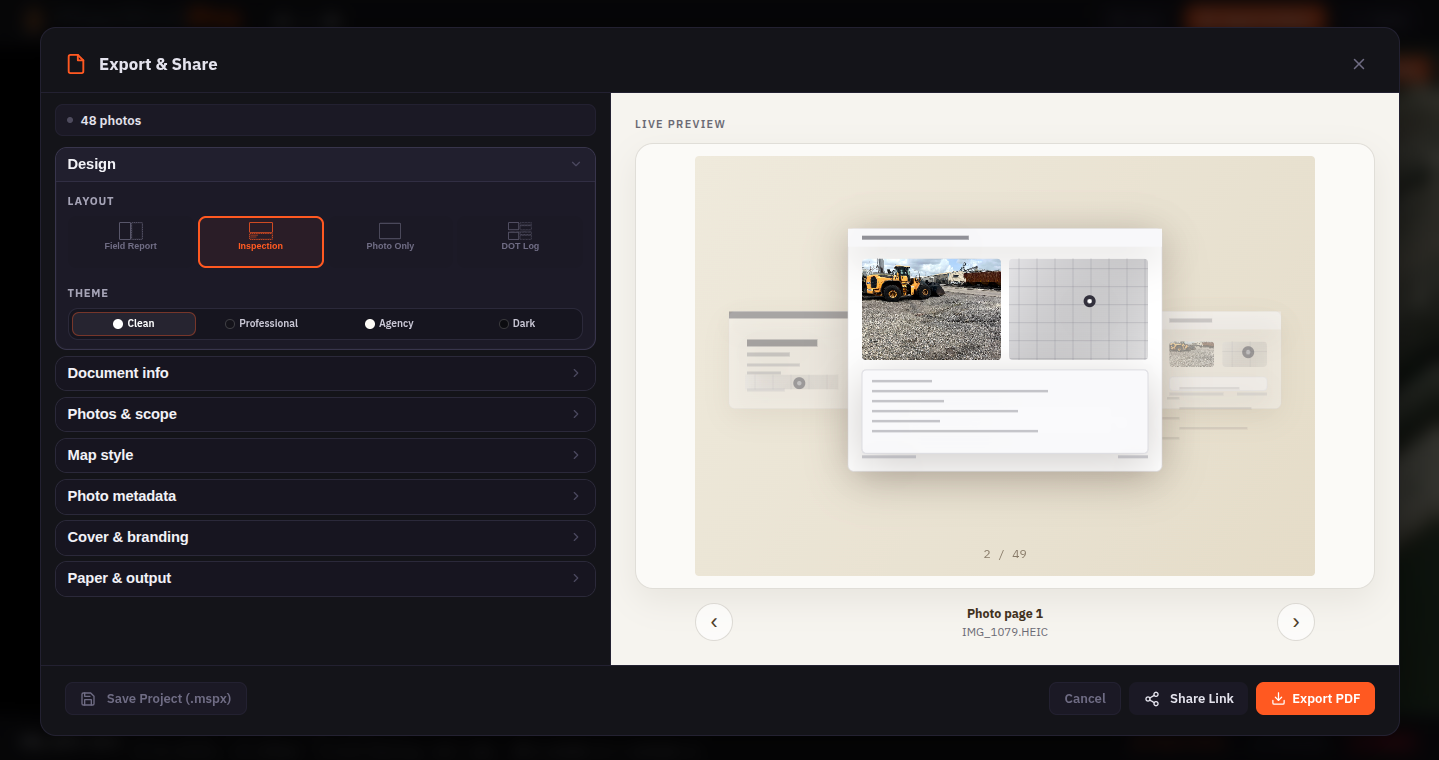
From georeferenced photos to a shareable PDF or link — layout, theme, and map style are set at export time.
Within an hour of getting back to the office, I had a draft field report ready to share with the project team. The client can open it and follow the site walk sequentially, with every photo anchored to a precise location. No ambiguity about "which drain is this?" or "where exactly did we say the force main would cross?"
For a project with active rail, restricted access areas, and dense utility conflicts, having that spatial clarity saved what would have been multiple follow-up emails trying to re-establish context.
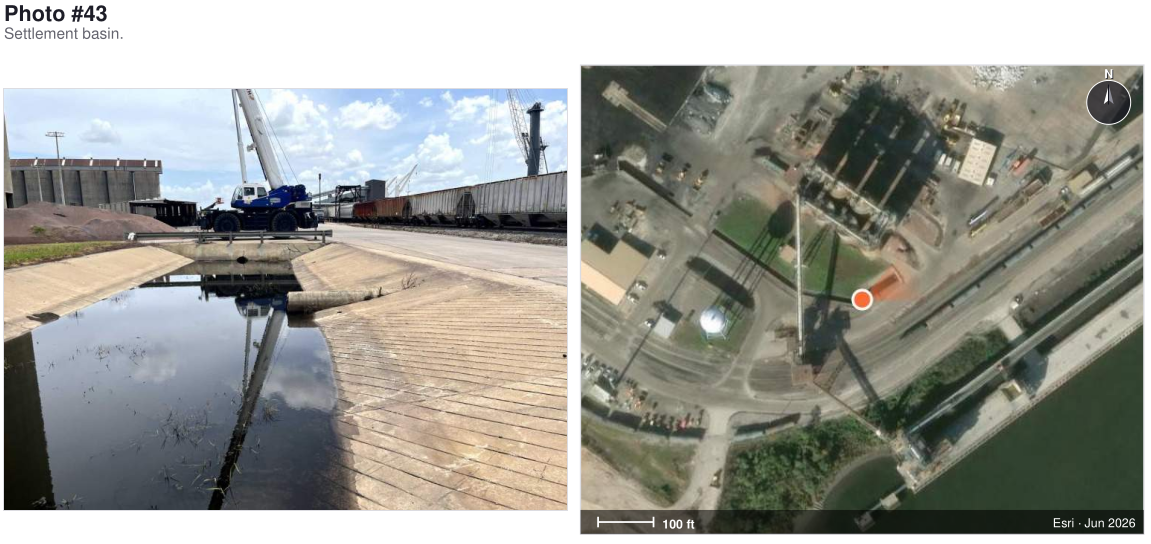
A page from the finished PDF report — every photo sits next to its own zoomed aerial location map, with the marker showing where I stood and which way the camera faced.
Ready to try it?
Start your 7-day free trial of MapShotPro Pro. No credit card required.